Total Recorder Editor Pro Free Full Version
Total Recorder Editor Pro, Now Free
Get the free Total Recorder Editor Pro download for recording, trimming and cleaning up audio on your Windows PC.
- Free Recording And Editing
- Capture Voice And PC Audio
- Trim And Clean Up Audio
- Export Popular Audio Formats
- No Purchase Or Registration
100% Free to UseAll Features IncludedNo Payment. No Registration.
Version 8.1.0 · 2.60 MB · Windows 11 & 10, 64-bit
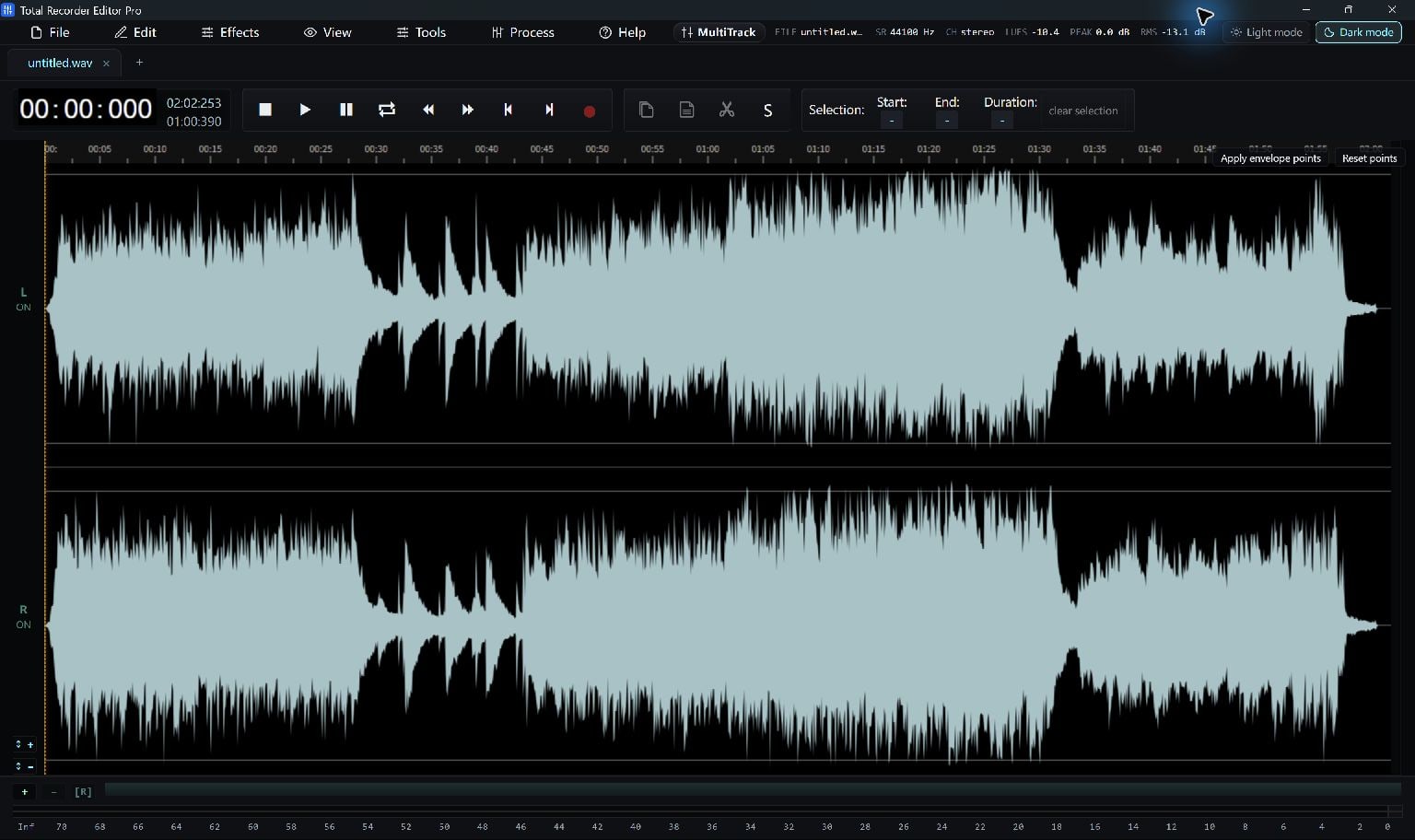
Make Something Worth Keeping
Easy From The First File
Step 1. Capture Or Import
Record sound or choose an existing audio file.
Step 2. Edit The Waveform
Trim, adjust volume and refine the sound.
Step 3. Export Your Audio
Save a finished copy in your chosen format.
Built Around Your Task
The Same Free Editing Power
Record Voice And PC Sound
Capture the microphone, system playback, or both, then edit the result in the waveform.
Give Recordings A Clean Finish
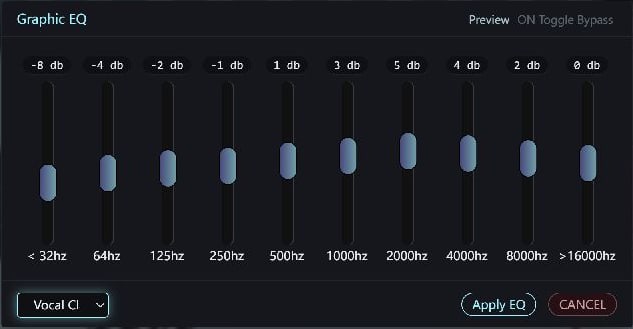
Trim unwanted sections and use noise reduction, EQ, fades and loudness tools to shape the sound.
Export Without A Paid Unlock
Save supported audio formats including MP3, WAV, FLAC, M4A and OGG without purchase or registration.
Keep Your Project Editable
Save a project and return to your audio edits later.
A Format For Your Next Step
Work With The Files You Already Have
Choose a supported output for your player, project or next edit.
Total Recorder Editor Pro
System Requirements & File Details
Windows 10 version 2004 (build 19041), or Windows 11 · x64.
Included Microsoft Edge WebView2 Runtime is required.
Internet is needed for missing prerequisites, online imports, first-use media components and module updates. Routine local audio editing does not need Deno downloads.
SHA-256
0b57b9dbddf45d6edfd079ef9bb04039eba154e51b3dfe920144b3c0be74df87
100% Free to UseAll Features IncludedNo Payment. No Registration.
Digitally Signed Windows Setup
View All Free DownloadsGet More From Your Software
A Little Help To Get Started
How To Record Audio On Windows
Record your microphone, computer sound or both with Total Recorder Editor, then trim and save the recording.
Read The GuideHow To Edit Music And Audio
Open an audio file, select parts of its waveform, trim or rearrange them, and save a finished copy with Total Recorder Editor.
Read The GuideHow To Batch Convert Audio Files
Use Total Recorder Editor's Batch Convert tool to choose files, select an audio format and save converted copies in an output folder.
Read The GuideHow To Edit MP3 ID3 Tags
Use the ID3 tag editor to set compatible MP3 track information, then check the exported copy in your player.
Read The GuideHow To Apply Audio Effects
Use selection, preview and comparison to apply EQ, fades, noise reduction and other audio effects with Total Recorder Editor.
Read The GuideHow To Join Audio Files
Insert clips in order or use a conversion queue to join supported audio files into a finished recording.
Read The GuideA Few Helpful Answers
Questions, Answered
Is Total Recorder Editor Pro free now?
Yes. The current Total Recorder Editor Pro package enables supported recording, editing and audio export without purchase or registration.
Does Pro include more features than Total Recorder Editor?
The current downloads use the same free engine and offer the same supported audio editing and export capabilities. Choose the product name you prefer.
Can I save MP3 without buying an upgrade?
Yes. This Total edition enables MP3 and its other supported export formats without a paid unlock.
Can it capture both microphone and system audio?
Yes. The recording tools support microphone and system-playback recording with a live level meter.
Which Windows version do I need?
Use Windows 10 version 2004 or later, or Windows 11, on a 64-bit PC. Microsoft Edge WebView2 Runtime is required; the .NET runtime is included.
Your Next Project Starts Here
Download the free Windows app and make something worth keeping.
Download Free100% Free to UseAll Features IncludedNo Payment. No Registration.
Windows 11 & 10 · 64-bit